Thursday, October 14, 2010

The beta version of the Hepsia Control Panel is here!

We’ve been telling you for months now that we have a brand new Control Panel in the works – we have showed you several videos (file upload and general file manipulations) and screen shots. We’ve been receiving inquiries about when it will be available to the general public. And today is the day – you can now log into the Hepsia Control Panel and try it out!

We are happy to present to you a fully functional version of our new Web Hosting Control Panel, which you can use with your web hosting account. Although still in beta status, the Control Panel is completely operational and can be used for full-fledged account management purposes.

You can log into our new Control Panel from here:

https://supremecenter.com:8888/

using your current web hosting username and password.

In the new Control Panel, you will see a Feedback button in the upper right corner – you can use it to send your impressions or any suggestions that you might have about the Control Panel, or you can report any bugs that you see.

Here are some screenshots from the new features of the Hepsia Control panel:

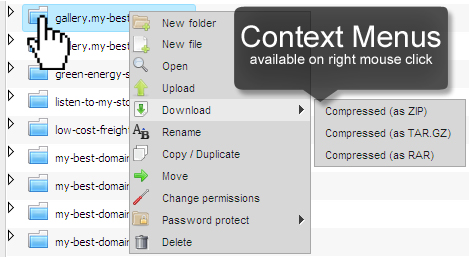
Right-Click context menus
http://blog.resellerspanel.com/wp-content/uploads/2010/10/right-click-context-menus.jpg
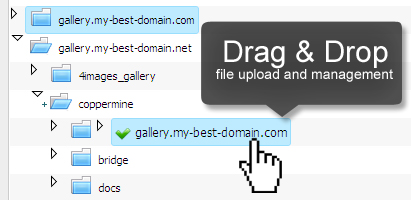
Drag & Drop file management and upload
http://blog.resellerspanel.com/wp-content/uploads/2010/10/file-manager-drag-drop.jpg
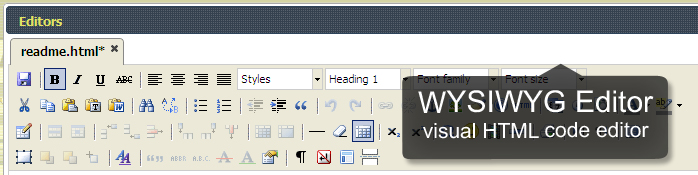
WYSIWYG HTML file editor
http://blog.resellerspanel.com/wp-content/uploads/2010/10/wysiwyg-file-editor.jpg
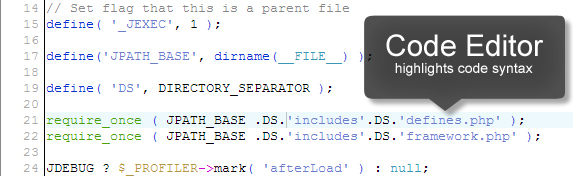
Code Editor for PHP files
http://blog.resellerspanel.com/wp-content/uploads/2010/10/file-manager-code-editor.jpg
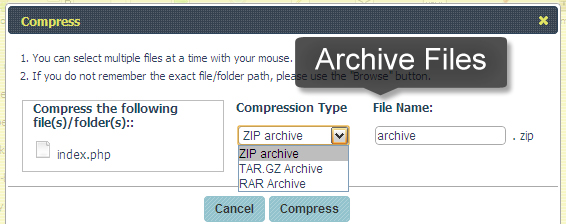
Archive files with the file manager
http://blog.resellerspanel.com/wp-content/uploads/2010/10/compress-files-with-file-manager.jpg
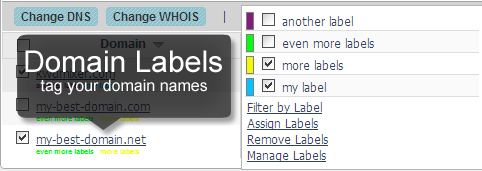
Domain name Labels
http://blog.resellerspanel.com/wp-content/uploads/2010/10/domain-name-labels.jpg
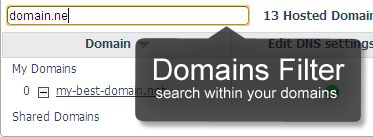
Domain names filter
http://blog.resellerspanel.com/wp-content/uploads/2010/10/domain-names-filter.jpg

Thanks for reading the Silverthorn Networks company blog!

Sincerely,

-The Silverthorn Networks Team

Wednesday, October 13, 2010

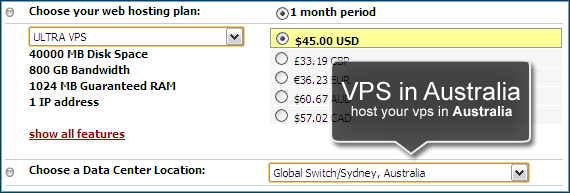
Coming Soon: VPS Servers Hosted in Australia

If you follow our blog, you already know that now we also have a data center in Sidney, Australia. For the moment, this data center can only house shared web hosting accounts. However, we are working on the subject and very soon our customers will be able to purchase Virtual Private Servers there too.

http://blog.resellerspanel.com/wp-content/uploads/2010/10/vps-in-au-data-center.png

Speaking of Virtual Private Servers, we have some more news for you – we have modified our new Hepsia Control Panel to run on VPS servers! As for the Operating System, for the moment the Control Panel runs on Debian, but in the following weeks we will also port it to CentOS and Ubuntu, making it a true multi-platform solution. For example, the cPanel web hosting Control Panel runs only on CentOS.

And before I forget, we will soon be offering Virtual Private Servers in our UK data center as well.

The aforementioned services will be made available in the following weeks, so don’t forget to regularly check our blog for updates.

Thanks for reading the Silverthorn Networks company blog!

Sincerely,
-The Silverthorn Networks Team

Thursday, October 7, 2010

A New Data Center in Australia!

After several weeks of negotiations and server setup procedures, we are finally ready to announce it – we have made a deal with a new data center facility, which is one of the biggest in the Southern Hemisphere and which is located in Sydney, Australia!

The name of this facility is Global Switch. For those of you who have never heard it, it is part of a global data center network, which consists of data centers located all over the world. And to show you that the Global Switch data center in Sydney is really something special, hear this: the Australian Department of Defense has chosen it to house several of its servers!

As of now, this data center is available to shared web hosting customers only and hosting accounts located there will have no price increase. The data center can be chosen from the Order form when a customer purchases his web hosting account.

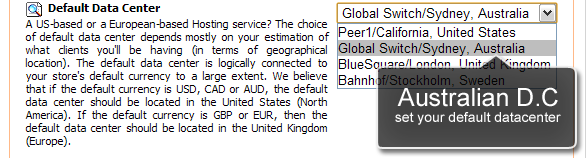
http://blog.resellerspanel.com/wp-content/uploads/2010/10/australian-data-center-set-default.png

By default, each hosting reseller under the Free Reseller Hosting Program will have our Peer1 data center in the US set as the default sever facility for all his web hosting customers. To change this, and to choose the new Australian data center as the default one (or one of our European data centers – BlueSquare near London or Bahnhof in Stockholm), you will have to log into the Reseller Control Panel, navigate to the Store Settings section and choose the Miscellaneous tab. Once there, scroll down to the bottom of the page where you will see the Default Data Center menu, from where you can select the default data center for your store.

You can choose a different data center for each reseller store in your account.

Thanks for reading the Silverthorn Networks company blog!

Sincerely,
-The Silverthorn Networks Team